 Path
PathWhat your tool already does
Updates, backups, security alerts, uptime, client report: that is the core of a WordPress maintenance plan. These tools do it well. Keep them.
Web agencies
Your maintenance tool keeps WordPress updated and checks that the site responds. Pathly checks that a visitor can finish the quote form or checkout.
| What each tool checks | WP Umbrella | ManageWP | MainWP | Oh Dear | Pathly |
|---|---|---|---|---|---|
| The site responds (uptime) | Yes : continuous | Yes : add-on, every 60 s | Partly : via UptimeRobot, NodePing… | Yes : yes | Yes : Ping |
| WordPress updates and backups | Yes : yes | Yes : yes | Yes : yes | Not stated on its page : not stated | No : not its job: keep your tool |
| Journey tested in a real browser (quote, cart, login) | Not stated on its page : not stated | Not stated on its page : not stated | Not stated on its page : not stated | Not stated on its page : not stated | Yes : Flow, with screenshot |
| Client report | Yes : white label | Yes : yes | Yes : yes | Yes : monthly, with your logo | Yes : monthly PDF, your brand on Business |
| Sites covered | WordPress | WordPress | WordPress, self-hosted | not stated | any public site, no plugin |
| Entry price | €1.99/site/month | free, add-ons from $1/month | free, Pro $29/month | $17/month for 2 sites | Free Solo plan, no card |
Tools' public pages read on 10/30/2026. wp-umbrella.com/pricing · managewp.com/pricing · managewp.com/features/uptime-monitor · mainwp.com/mainwp-pricing · ohdear.app/pricing
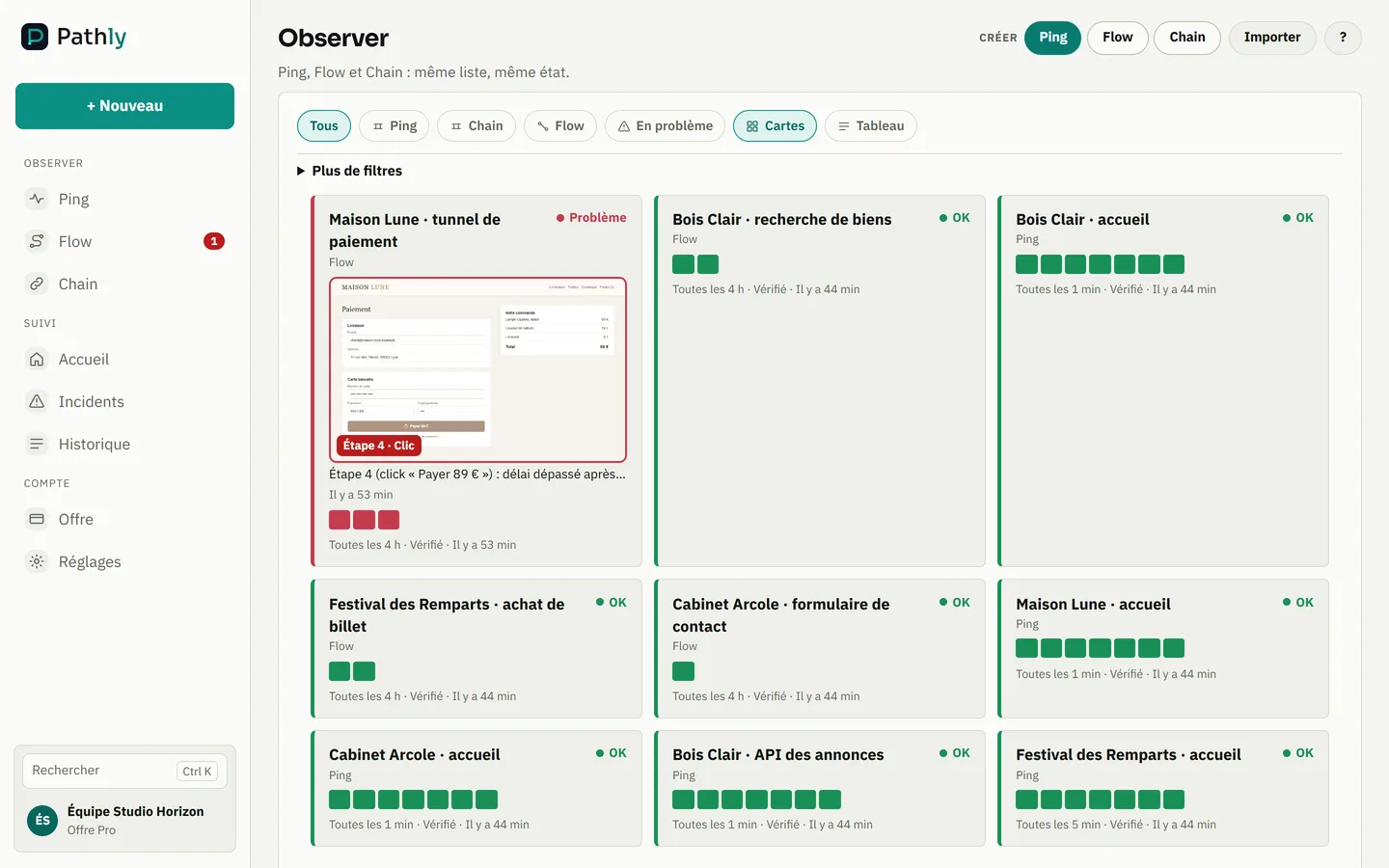
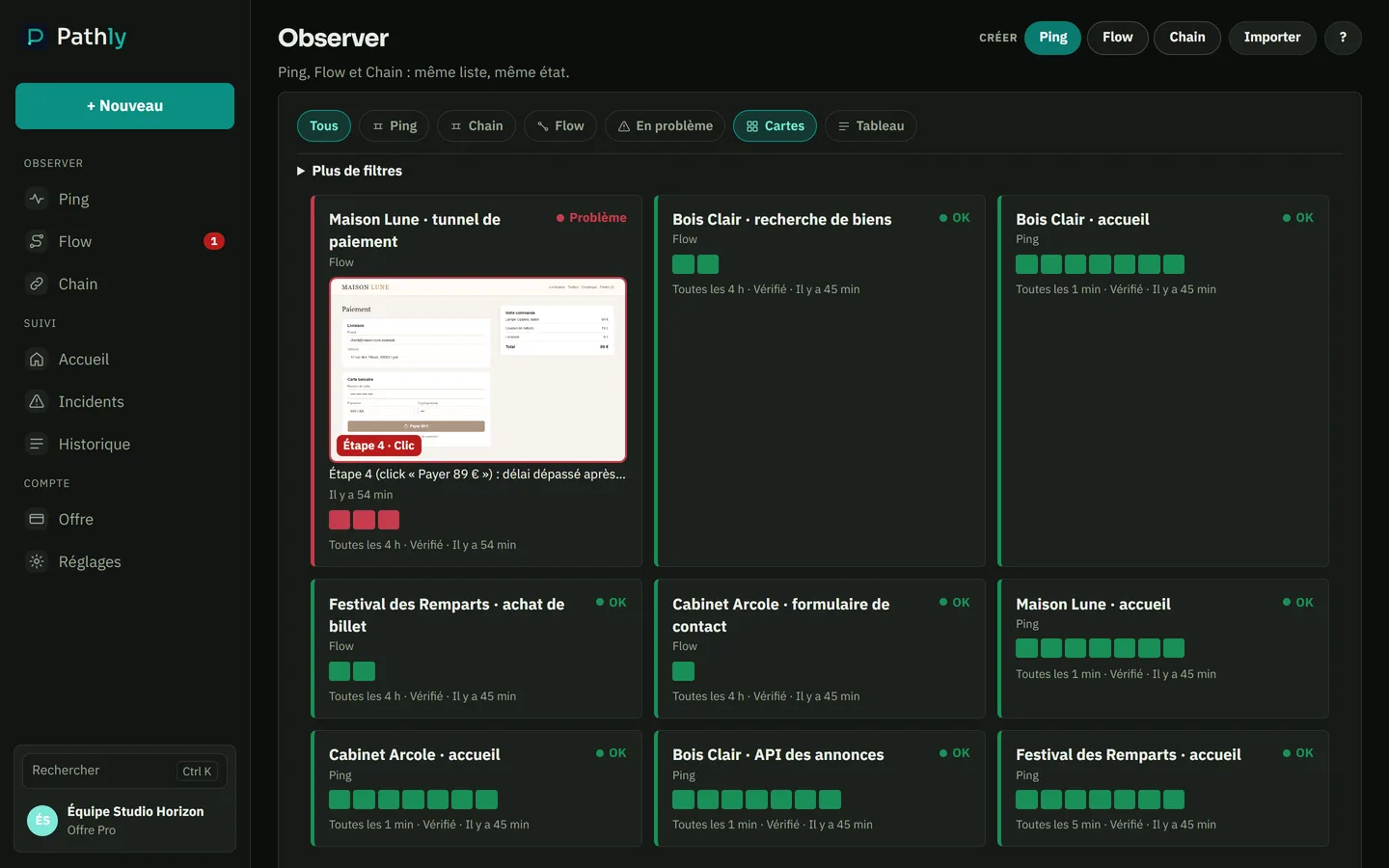
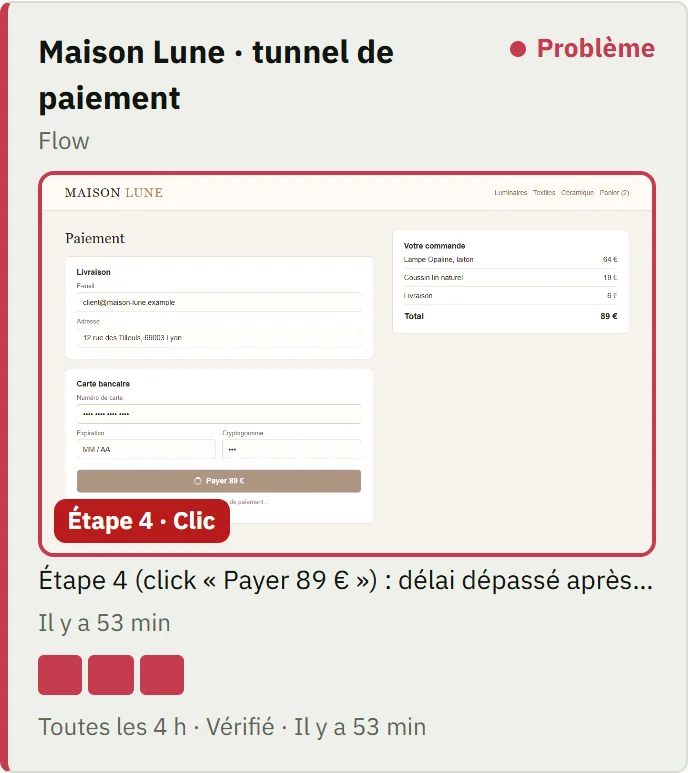
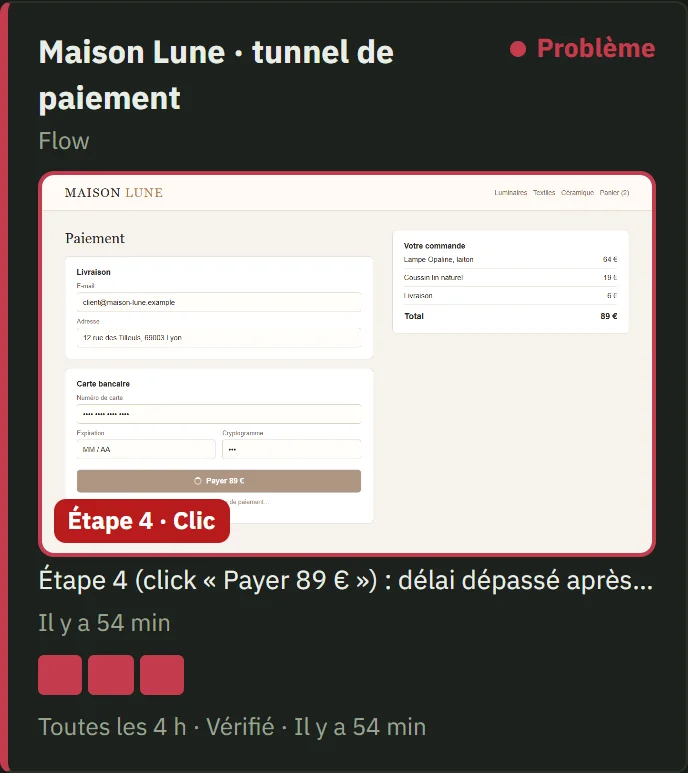
Screenshot of the Pathly app, with demo data.
Updates, backups, security alerts, uptime, client report: that is the core of a WordPress maintenance plan. These tools do it well. Keep them.
A plugin update breaks form submission. The page loads, monitoring stays green, and the client finds out from a lost lead. Flow fills in and submits the form in a real browser, several times a day. If it breaks, you get a screenshot of the step.
Pathly checks from the outside: no plugin to install, and any public site, WordPress or not. The monthly PDF report shows the client what was checked and what broke.
Monthly report
One PDF report a month, ready to attach to the maintenance invoice. It is built from the checks already in place, with nothing to type.
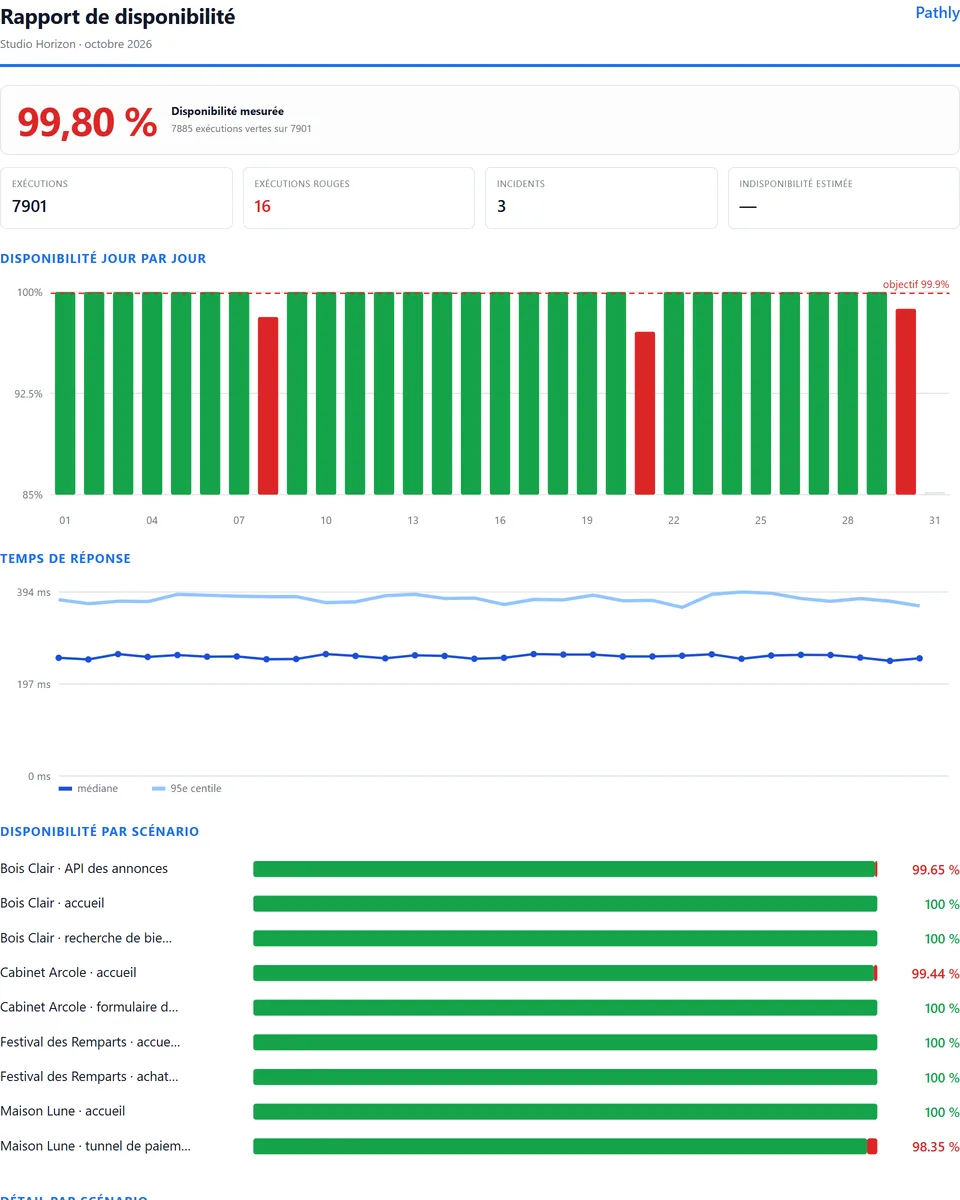
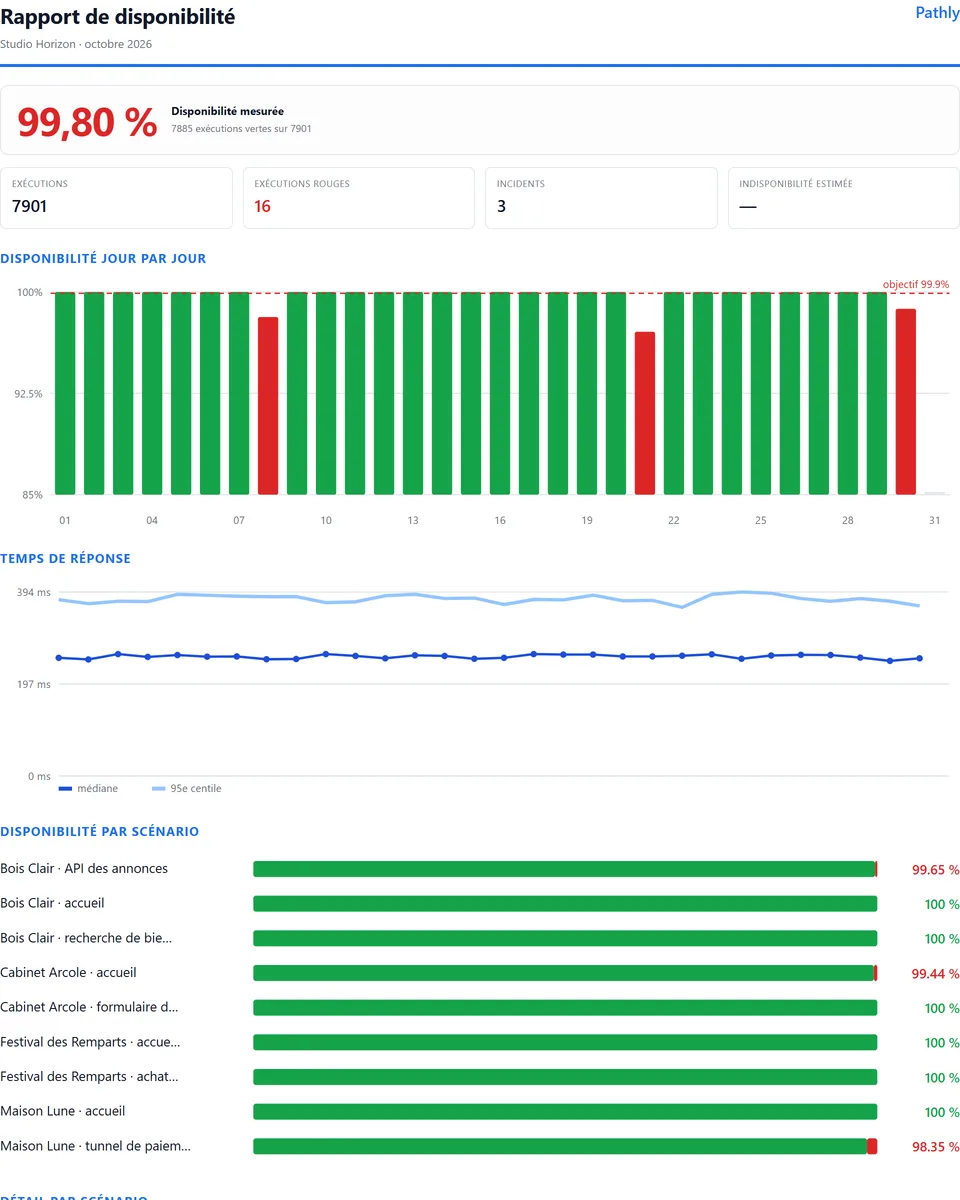
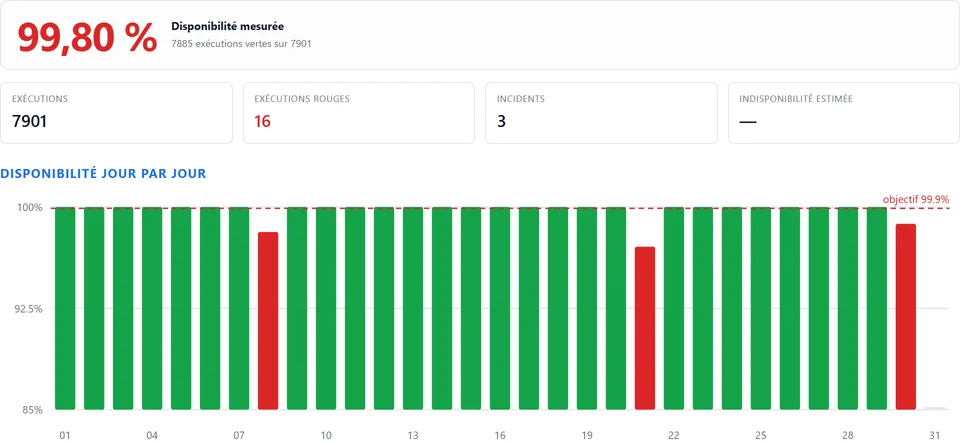
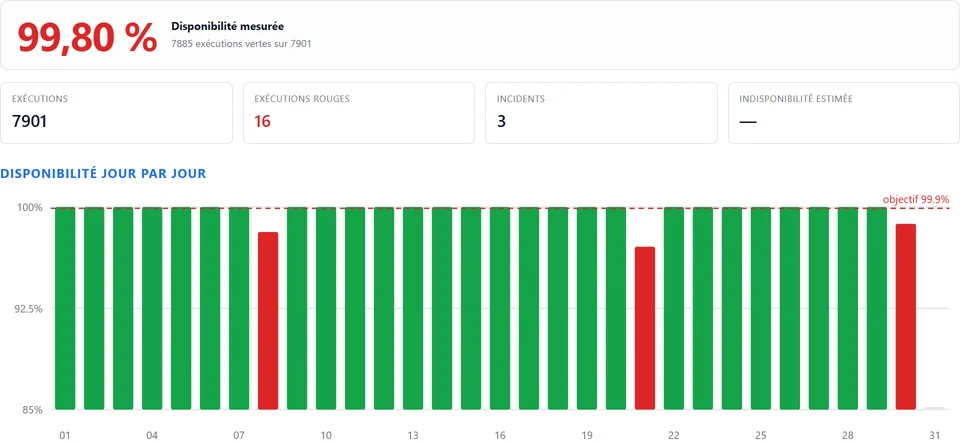
Screenshot of the Pathly app, with demo data.
Included in every plan, with Pathly branding. On Business, it carries your agency’s brand. Pro remains the plan we recommend for agencies.
Free, no account, in 30 seconds: certificate, links and response time.
Audit a site